

Máy tính khách OM-5464C
Liên hệ
Máy tính khách OM-5464C
(1) Hỗ trợ quản lý tập trung các thiết bị điều khiển: bật/tắt nguồn chỉ với một thao tác, thêm/xóa người tham dự, cũng như thay đổi và thêm tên tệp tài liệu cuộc họp;
(2) Hỗ trợ quản lý nhiều phòng họp, thiết lập sẵn cấu hình cho nhiều phòng họp và giám sát thời gian thực tình trạng sử dụng thiết bị tại mỗi phòng để phục vụ công tác lên lịch họp.


Hotline: 0916 112 800
(Mua ngay hôm nay - Nhận ưu đãi lớn)
Máy tính khách OM-5464C
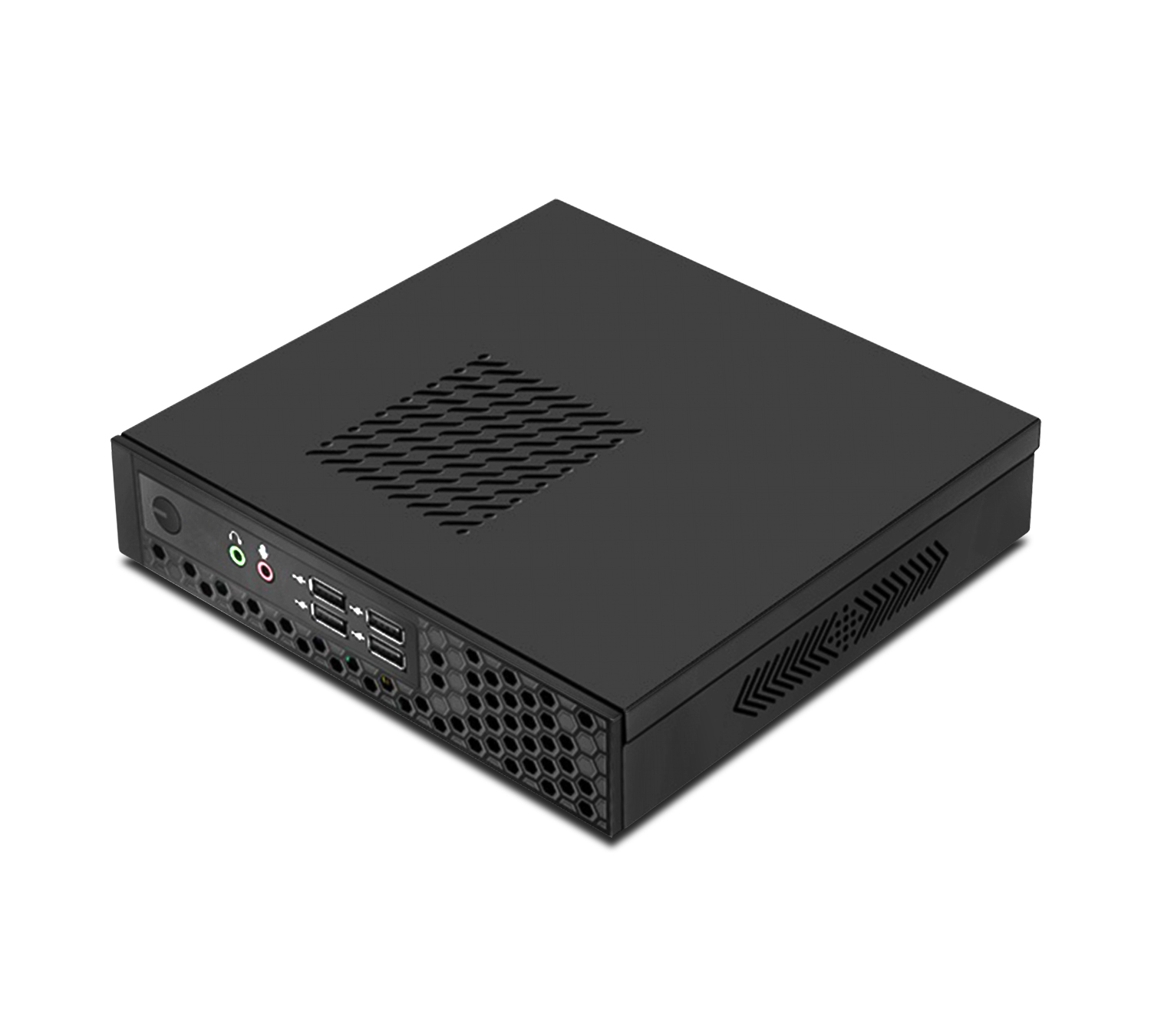
Product Parameters:
1.CPU: Intel I5
2. Memory: 4GB DDR3 RAM
3. Hard drive capacity: 64GB solid-state drive
4. Network card: Gigabit network interface
5. Standard interfaces: 1 x DC-IN interface, 1 x HDMI, 1 x RJ45, 1 x VGA, 2 x USB 2.0, 2 x USB 3.0, 1 x HP-OUT, 1 x MIC-IN
6. Operating System: Windows 7 or Windows 10
7. Working environment: Environmental temperature: -10 ℃ to 50 ℃; Relative humidity: 0%~95%
8. Working power consumption: 12V DC/24W
9. Size: 197.5 × 185 × 45mm
10. Weight: 1.5Kg
11. Color: Black
Terminal function:
(1) Support unified management of control terminals, one click power on/off, addition and deletion of attendees, and change and addition of conference file names;
(2) Support multi meeting room management, multi meeting presets, and real-time monitoring of equipment usage in each meeting room for scheduling meetings.
(3) Module function hiding, background image, font, color in UI interface LOGO;
(4) Support the import of commonly used participant lists and conference room equipment management on the management end.
(5) Support real-time viewing of meeting agenda materials and prompt with start and end buttons indicating that the agenda is in progress and the next agenda is in progress. At the same time, support for moving the agenda up and down, making it convenient to adjust the meeting agenda temporarily.
(6) Support one click live streaming, on-demand playback, control on the management end, and support real-time playback of multiple 1080P videos. The screens of attendees can also be shared with the large screen.
(7) Support one click addition and deletion of customer service program main function buttons, with a one click shortcut button for clearing meeting materials;
(8) Support selective archiving of meeting content to avoid unnecessary data occupying computer or server resources, leading to increasingly slow computer operation.
(9) Multi person handwritten annotation: Multiple people can annotate and circle on meeting documents, meeting minutes, and electronic whiteboards, and the annotation content can be saved as handwritten traces. The saved annotation file will automatically generate a new file name and will not overwrite the original file.
(10) Multiple people can annotate with screenshots and electronic whiteboards, and have permission to download annotation files;
(11) Supports 1080P video streaming on the same screen without delay (≤ 70 milliseconds).
Sản phẩm tương tự