


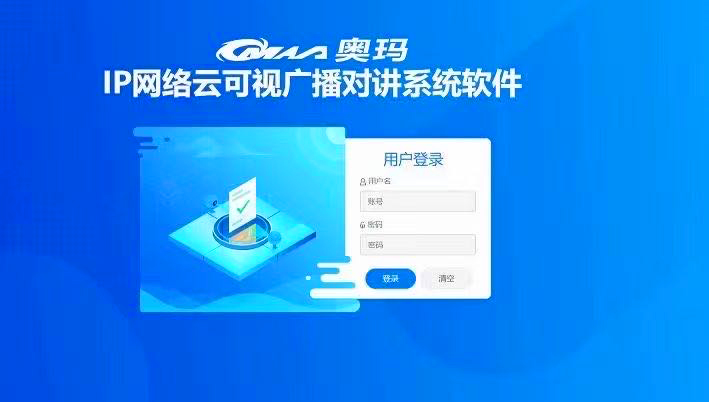
Phần mềm phát thanh IP đám mây trực quan OM-E2803
Liên hệ
Phần mềm phát thanh IP đám mây trực quan OM-E2803
Phần mềm phát sóng video mạng IP kỹ thuật số được cài đặt trong trung tâm điều khiển phát sóng mạng hoặc máy tính và đóng vai trò là nền tảng quản lý toàn diện cho việc trao đổi dữ liệu, vận hành hệ thống và vận hành chức năng của hệ thống phát sóng.
Phần mềm sử dụng kiến trúc B/S , hỗ trợ phát thanh và liên lạc nội bộ video hai chiều; hỗ trợ triển khai trên mạng cục bộ và máy chủ đám mây, hỗ trợ triển khai hệ thống kép trên Windows và Linux (hỗ trợ hệ thống Galaxy Kylin thuần túy trong nước); có giao diện SDK hoàn chỉnh , tạo điều kiện thuận lợi cho việc tích hợp với các nền tảng của bên thứ ba.


Hotline: 0916 112 800
(Mua ngay hôm nay - Nhận ưu đãi lớn)
Phần mềm phát thanh IP đám mây trực quan OM-E2803
1. The software is the operating core of the entire system, which manages all audio and video terminals within the system, including paging microphones, intercom terminals, broadcast terminals, and fire interfaces. It displays the IP address, online status, task status, volume, and other operational status of the audio terminals in real time;
2. The software adopts BS architecture and supports deployment and operation of operating systems such as Windows, Windows Server, Linux CentOS, Ubuntu, KylinOS (Galaxy Kylin Operating System), etc;
3. The software supports LAN and cloud server deployment, and supports wired network and 4G network terminal access;
4. Equipped with automatic terminal fault detection function: When the ID number or IP address of the audio terminal conflicts, the terminal will indicate an abnormality in red; When the online terminal is offline, the terminal will indicate an abnormality in yellow, and the visual intercom terminal will have a special video color identification (provide a screenshot of the software interface);
5. Equipped with audio and video linkage function, each broadcasting terminal can bind a camera video stream and view the video stream on the broadcasting system software interface (provide software interface screenshots). When abnormalities are found in the video, audio broadcasting can be sent to the terminal terminal;
6. Network broadcasting terminals can be bound to cameras or network video streams. By selecting a terminal, the bound monitoring or network video information can be displayed. If any abnormalities are detected, the designated terminal or partition can be broadcasted; Monitoring screen display supports full screen and split screen display (provide software interface screenshots);
7. Software supports map view viewing terminals: supports online map mode, the map can be zoomed in and out freely, and each terminal can bind a coordinate position to display on the map (provide software interface screenshots)
8. The software supports the operation of various audio and video terminals, is responsible for audio stream transmission management, responds to playback requests from various audio terminals and full duplex audio and video exchange, supports B/S architecture, and can perform terminal management, user management, program playback management, audio file management, recording storage, internal communication scheduling and processing functions through web login.
9. Manage program library resources, provide scheduled playback and real-time broadcast media services for all audio terminals, respond to program playback requests from various terminals, and provide data interface services for various audio workstations.
10. Support full duplex voice intercom and video intercom, respond to calls and call requests from various intercom terminals, support one key call, one key intercom, one key help, one key alarm and other call modes, and support automatic answering and manual answering.
11. Supports multiple call strategies, including unresponsive transfer, busy transfer, shutdown transfer, and supports custom settings for time and transfer strategies. Support setting intercom terminal call strategy, customizable call time of 0-180 seconds or unlimited, and can choose whether to automatically answer.
12. Support offline tasks, download scheduled tasks to broadcast terminals, and schedule offline broadcasts in case of network issues (provide software interface screenshots); Support IP network paging microphone to disconnect from server for broadcasting calls, voice intercom, and USB playback;
13. Support terminal short-circuit input linkage triggering, with the ability to freely set linkage triggering tasks and the number of triggering terminals. The triggering events can be alarm input, buttons, or login; The output operation types can be broadcast, intercom, command, or monitoring (provide software interface screenshots).
14. The short-circuit triggering linkage task can be selected from any terminal, and the triggering sound source can be selected from media library, speech synthesis, and terminal collection. The triggering playback duration can be customized; (Provide screenshots of the software interface).
15. The software comes with a scanning configuration tool that supports scanning terminals through multicast and unicast. It also supports configuring terminal IDs, IP addresses, server IP addresses, etc. through the software; Support abnormal display of service software addresses; (Provide screenshots of the software interface)
16. Support mixing functions for IP network paging microphones and real-time tasks, scheduled tasks, and linked tasks. Support adjusting the volume of tasks when mixing IP network paging microphones (provide software interface screenshots);
17. Support IP network collector and real-time task, scheduled task, and linked task mixing functions, and support adjusting the background music volume when mixing and playing two tasks (provide software interface screenshots);
18. Support for setting up up up to 16 shadow terminals on the terminal. Setting shadow terminals involves configuring the name and partition of the shadow terminal (provide screenshots of the software interface);
19. Support editing multiple sets of planned tasks, support selecting any terminal and setting any time; Support scheduled task execution testing and setting repetition cycles. Support multiple audio source selections for scheduled tasks (media library, speech synthesis, terminal acquisition).
20. Scheduled tasks support early activation of power amplifiers, and the early activation time can be customized and configured (provide software interface screenshots);
21. Support multiple timed ringing schemes to be enabled simultaneously. Each timed ringing scheme supports multiple tasks to be performed simultaneously, and supports one click activation/deactivation of all schemes. Each timed task has a running log (provide software interface screenshot).
22. Support scheduled batch modification, which can batch modify the loop rules, execution time, port control, etc. of scheduled tasks (provide software interface screenshots);
23 supports viewing today’s task list, making it easy to manage all scheduled task information and execution status for today.
24. Support exporting details of planned tasks and exporting them as Excel spreadsheets (provide screenshots of the software interface);
25. Log the operating status of the system, real-time record the system operation and terminal working status, and record every call, conversation, and broadcast operation;
26. Historical records support classified search, including server, real-time tasks, scheduled tasks, linked tasks, terminal broadcasting, intercom, settings, and broadcast settings. It also supports custom time search history, exporting history records to Excel tables, and batch deletion of history records (with software interface screenshots provided);
27. Support configuring terminal freeze time, prohibiting the terminal from executing tasks during the freeze period, suitable for scenarios such as exams or rest.
28. Support recording of intercom and visual intercom; Support text broadcasting function, which can convert text into speech.
29. Support background skin changing function, allowing users to freely switch skin themes according to their preferences.
30. Support importing and exporting terminal details through Excel spreadsheets, and support batch modification of terminal names and other configuration parameters through Excel spreadsheets (provide software interface screenshots)
Sản phẩm tương tự


